
When creating long reads like Featured Stories its a great idea to ‘play’ with the background of a text box. By using a different color background, the user is attracted to the text area. It also ‘breaks’ the page so that the article is easier to read.
Please note that this article is only for sites that use the Elementor page builder.
To change a background in Elementor perform the following steps:
- Click to select the text box
- Click the pencil at the right top to change the widget
- Click left on the tab Advanced
- Click Background
- There you see a small selection box where you can select a color
See the image below.
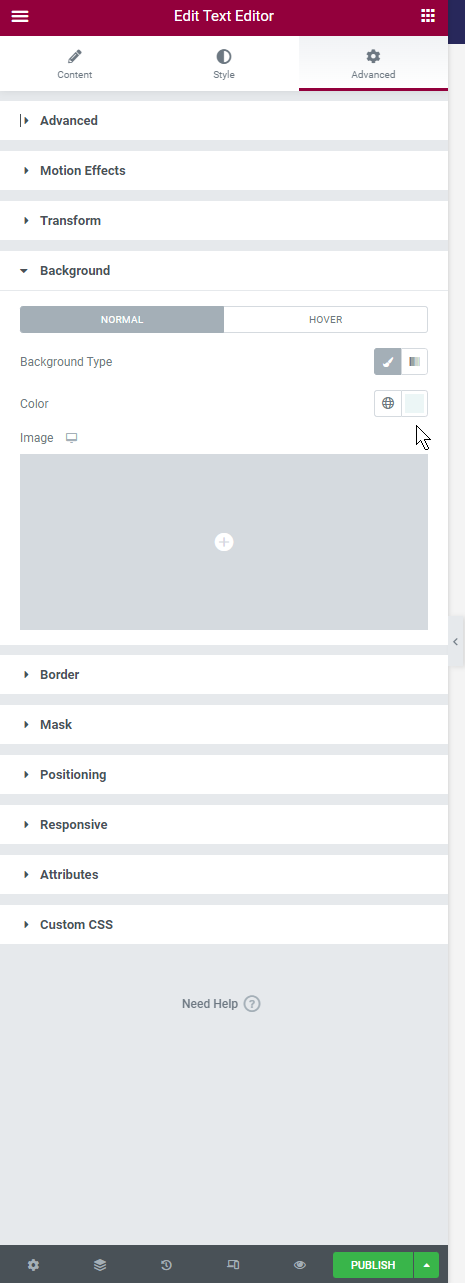
Edit text widget in Elementor


